
NeuroScores App6.0.0 - Google Play
You'll be able to see results in few seconds.
Publisher Description
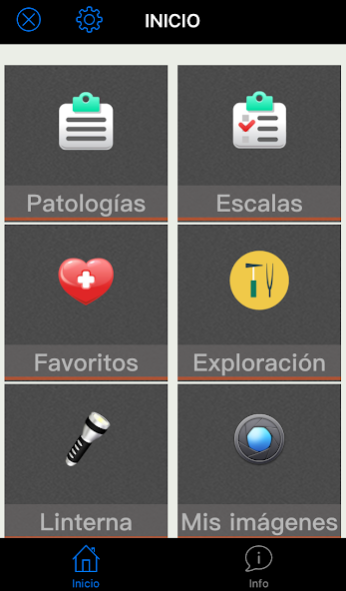
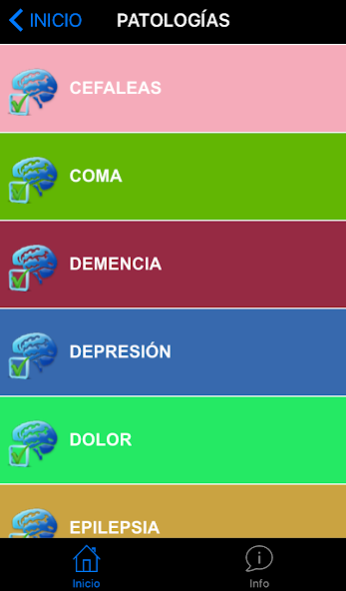
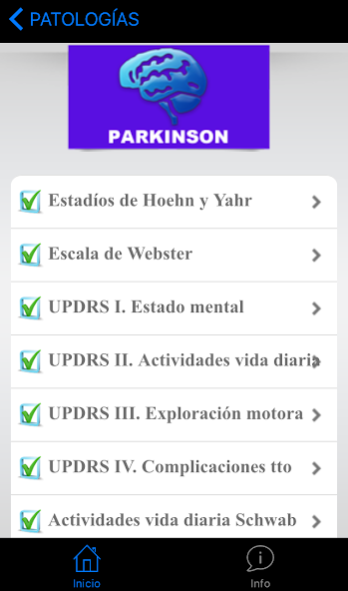
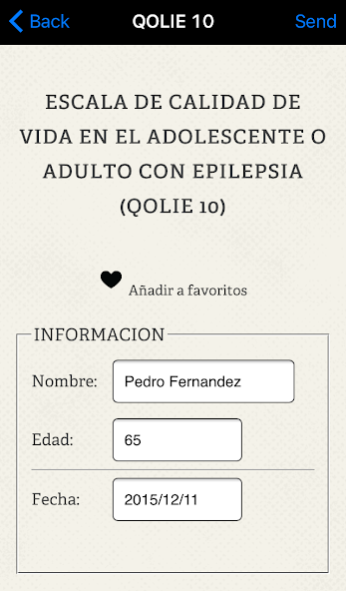
The NeuroScores application created by Dr. Nerea Foncea specialist Neurology Hospital of Galdakao (Vizcaya, Spain).
No methodology without instruments and this application will become, surely an important resource in clinical activity against our patients.
Created with the intention of offering a useful tool in our practice, that apart from providing content, you can access it quickly and intuitively.
Designed for Neurologists and Primary Care Physicians, Psychiatrists and Psychologists.
In this application scales used in the assessment of neurological patients and their evolution over time they are included.
70 scales are included those which the author has considered most useful specialty, classified according to the pathology to which they belong.
They are scales used in Parkinson's, epilepsy, headache, dementia, movement disorders, Coma, depression, multiple sclerosis and stroke.
The major advantage of NeuroScores, is that you only have to dial the different options and the application calculates the final result in an automatic way, offering the possibility to send the result by email to the address you want or save the test done.
Also included are other tools that we believe can be a very practical tool to use on a day to day in our clinics, medical centers and hospitals. Including a section of neurological examination eminently practical, with exclusive footage gives exploratory maneuvers.
This application is directed only and exclusively to health professionals and the diagnosis obtained from rating scales never replaces the diagnosis of health professionals conducted in the doctor's office.
This application is sponsored by the laboratory ESTEVE.
About NeuroScores App
The company that develops NeuroScores App is Alberto Sanchez. The latest version released by its developer is 6.0.0.
To install NeuroScores App on your Android device, just click the green Continue To App button above to start the installation process. The app is listed on our website since 2021-02-19 and was downloaded 0 times. We have already checked if the download link is safe, however for your own protection we recommend that you scan the downloaded app with your antivirus. Your antivirus may detect the NeuroScores App as malware as malware if the download link to com.mobiblocks.neuroscores is broken.
How to install NeuroScores App on your Android device:
- Click on the Continue To App button on our website. This will redirect you to Google Play.
- Once the NeuroScores App is shown in the Google Play listing of your Android device, you can start its download and installation. Tap on the Install button located below the search bar and to the right of the app icon.
- A pop-up window with the permissions required by NeuroScores App will be shown. Click on Accept to continue the process.
- NeuroScores App will be downloaded onto your device, displaying a progress. Once the download completes, the installation will start and you'll get a notification after the installation is finished.
Program Details
System requirements
Download information
Pricing
Version History
version 6.0.0
posted on 2021-02-19
Ajustes informáticos
Disclaimer
Official Google Play Link
We do not host NeuroScores App on our servers. We did not scan it for viruses, adware, spyware or other type of malware. This app is hosted by Google and passed their terms and conditions to be listed there. We recommend caution when installing it.
The Google Play link for NeuroScores App is provided to you by apps112.com without any warranties, representations or guarantees of any kind, so access it at your own risk.
If you have questions regarding this particular app contact the publisher directly. For questions about the functionalities of apps112.com contact us.
